- MovieSlate App
- MovieSlate Cloud
- KeyClips
- Videos
- Testimonials
- Press
- Accessories
- Support


Back
Frequently Asked Questions
We know you have them, here are answers to the common ones.
The History screen looks different now and I can't find where to circle takes. How do I circle a take?In the new History screen, Circle Take is in the button with the circle-T icon at the top right. Tap it to open a menu with Circle Take and False Take, plus your cameras (to mark prints and no-prints) and the picture and sound ratings. The button changes to show whether the take is circled.
For details, open Help and go to chapter 46, History screens: Shot Details. The section called The Top Bar shows the button and its menu. |
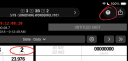
| One of many FAQs offered. |
|
Social
Follow @MovieSlate

|
|||||||

Copyright © 2009-26 PureBlend Corp. All rights reserved. MovieSlate®, Movie★Slate® and KeyClips® are registered trademarks of PureBlend Corp. | Privacy Policy | Terms of Use | Credits